
At MomentoStream, we make it super easy for you to access your account by offering direct sign-in through Google!
Creating a New Account
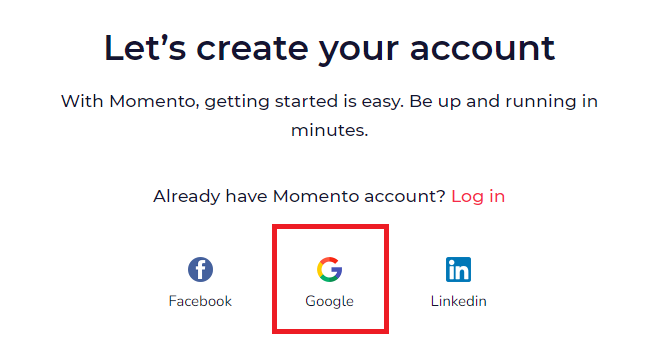
- Visit app.momentostream.com/register to create your brand new account.
- Click on the Google logo option
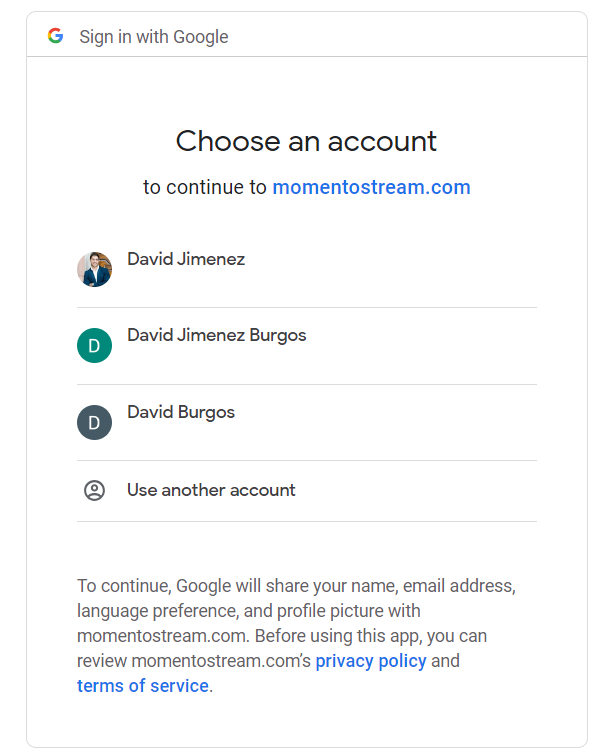
- If you’re already logged into Google on your browser, simply choose your desired account from the list, and voilà, you’re logged into MomentoStream.
Logging into an Existing Account
If you’re already a MomentoStream user, you can access your account at app.momentostream.com/login. Just use the Google Login option and select the email address that matches your existing MomentoStream account.
FAQs
- What information does MomentoStream get from Google when I sign up?
We only retrieve your Name, Email, Language preference, and profile picture from Google.
- Can I use my Google Workspace account with MomentoStream?
Absolutely! If you use Google for authentication, you can use Google Login with MomentoStream, unless your admin has restricted it.
- Can I disconnect my Google account from MomentoStream?
Yes, you can disconnect your Google account from MomentoStream. Just remember that removing authorization for 3rd party apps is done within your Google account settings.
- What if I want to change the password I use for logging in?
No worries! You can change your password as usual. Simply go to your account settings and update your password there. If you change your password, your associated Google login will be automatically disconnected.