
MomentoStream lets you stream to your Facebook, YouTube, LinkedIn, Twitter, Twitch account and custom RTMP all at the same time!
You can multi-stream to
- 3 destinations on the Basic Plan
- 8 destinations on the Advanced, and Professional Plans
Note: Multistreaming is only available on our paid plans. Upgrade your plan to enable multistreaming.
How to Multi-stream
1. Go to your Sessions Page and create a live stream.
2. Select each destination you want to go live to by clicking on it. If it is highlighted with a blue circle around it, it has been successfully selected.
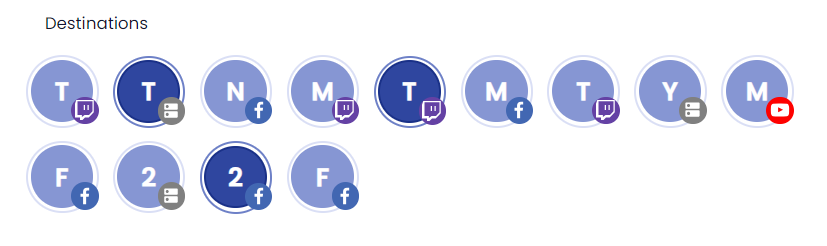
3. Next, you can enter the studio and you will be ready to go live!
FAQ
Can I multistream to multiple accounts/pages on the same platform?
Yes. You can stream to multiple pages/accounts at the same time on a single platform (Youtube, Twitch, Facebook, and Twitter). LinkedIn does not support multistreaming at this time.
Can I stream to multiple Momento Live?
It is not possible to stream to multiple Momento Live webinars/events at this time. You can however, add other social media destinations to your Momento Live livestream.